🥳 Skip the subscription. Pay $299 once for lifetime access— See lifetime plans
🥳 Skip the subscription. Pay $299 once for lifetime access—

8 MIN READ
Discovery
Discovery
How to Find Influencers on YouTube: A Brand's Guide (2026)
How to Find Influencers on YouTube: A Brand's Guide (2026)
How to Find Influencers on YouTube: A Brand's Guide (2026)

Sections
Build your first creator list on Solo, $29 a month.

How to Find Influencers on YouTube
YouTube is the platform brands reach for last and regret skipping.
It is slower. Creators take longer to produce, charge more per piece, and will not turn a video around in 48 hours. In exchange you get something Instagram and TikTok cannot offer: a video that keeps getting found through search two years after it goes live.
The catch is that the number everyone judges YouTube by, subscriber count, is close to useless. Here is what to use instead, and four ways to find creators worth paying.
Why YouTube is different from Instagram and TikTok
Three differences change how you search.
Search, not feed. A large share of YouTube viewing starts with someone typing a question. That means a review video keeps earning long after the campaign ends.
Longer consideration. Someone who watches twelve minutes about a product is much closer to buying than someone who saw a three-second reel.
Subscribers are historical. A channel with 400,000 subscribers from four years ago may now get 6,000 views a video. Subscribers do not decay visibly. Views do.
The single most useful YouTube metric is median views across the last 20 videos, divided by subscriber count. Under 5% means the audience has moved on. Over 20% means the channel is growing and the audience is paying attention.
Method 1: Search the way your buyer searches
This is the fastest method and most brands never try it.

Type the question your customer would type before buying your product. Not your brand name. Not your category. The actual question.
A running shoe brand should search "best running shoes for flat feet", not "running". A kitchen brand should search "is a stand mixer worth it", not "cooking".
The creators who rank for those searches are already trusted by people in a buying mindset. That is worth more than reach.
How to run it
List ten questions a customer asks before buying from you.
Search each one on YouTube.
Note every channel appearing in the top ten results, and anything in the sidebar that keeps reappearing.
Sort by upload date as well as relevance. A channel that ranked two years ago may be dormant.
Twenty minutes gets you 30 to 40 channels. Most will be wrong. Five or six will be exactly right.
Method 2: Work backwards from the comment sections

The comment section on a popular video in your category is full of two useful things: other creators, and the language your buyers actually use.
Pinned and top comments often come from smaller creators in the same niche.
Channels that appear in comments across several videos in your category are usually active and well regarded.
The questions people ask in comments tell you what your campaign brief should cover.
This is slow, manual, and consistently turns up creators that no filter would have surfaced.
Method 3: Find who your competitors have paid

YouTube makes sponsored content easier to spot than any other platform. Creators disclose it, descriptions carry affiliate links, and the sponsor segment is usually its own chapter.
Search your competitor's brand name on YouTube.
Filter to the last 12 months.
Note every channel that ran a sponsor segment, not just a mention.
Check whether the same channel has worked with more than one brand in your category. Repeat deals usually mean the first one performed.
Our SocialiQ Chrome extension surfaces audience and engagement data on a channel while you are watching, so you can qualify each name without leaving YouTube.
Method 4: Use a search tool when you need to compare

Everything above finds candidates. None of it lets you compare them fairly.
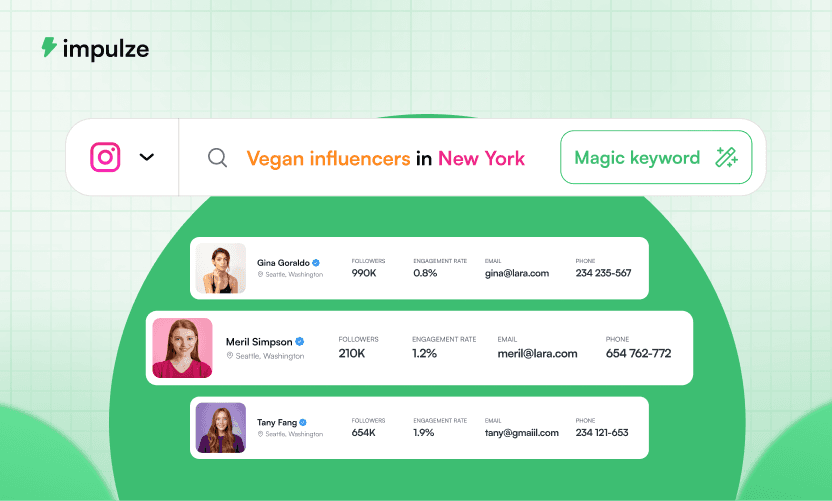
Our free influencer search tool covers more than 400 million creator profiles across YouTube, Instagram and TikTok. Search by keyword, hashtag or handle, then filter by subscriber range, engagement rate, audience country and category.
The filter that matters most on YouTube is audience country. A channel can look perfect and have 70% of its viewers in a market you do not ship to. You cannot see that from the channel page.
The three numbers to check before you reach out
1. View-to-subscriber ratio
Take the median views of the last 20 videos and divide by subscribers. Use the median, not the average, because one viral video distorts an average badly.
Under 5% is a channel living off an old audience. Between 5% and 15% is healthy. Above 20% usually means the channel is growing right now, which is the best time to work with someone, and usually before their rates catch up.
2. Engagement rate
Likes and comments against views, not against subscribers. YouTube engagement rates run lower than Instagram, so do not carry an Instagram benchmark across. Run the channel through our free YouTube engagement rate calculator to get the number without doing the arithmetic.
3. Upload consistency
Look at the gaps between the last ten uploads. A channel that posted weekly for two years and has gone quiet for three months is a risk. Your video may be the one that comes out after another long gap.
Red flags
Views far above subscriber count on only one or two videos. That is one viral hit, not an audience.
Comments disabled. Sometimes legitimate, often hiding something.
No clear niche. A channel that covers everything has an audience that trusts it on nothing.
Every recent video is sponsored. The audience has learned to skip.
View counts that look flat across every video. Real channels vary.
What YouTube creators cost
More than Instagram, and the gap is wide. A dedicated video takes days to produce rather than an hour, and it keeps earning views long after it is published, so creators price it accordingly.
A 30 second integrated sponsor segment costs less than a dedicated review. A dedicated review costs less than a video built entirely around your product. Decide which you are buying before you ask for a rate.
Run your numbers through our influencer pricing calculator first so you open with a figure that is in the right range.
How to Find Influencers on YouTube
YouTube is the platform brands reach for last and regret skipping.
It is slower. Creators take longer to produce, charge more per piece, and will not turn a video around in 48 hours. In exchange you get something Instagram and TikTok cannot offer: a video that keeps getting found through search two years after it goes live.
The catch is that the number everyone judges YouTube by, subscriber count, is close to useless. Here is what to use instead, and four ways to find creators worth paying.
Why YouTube is different from Instagram and TikTok
Three differences change how you search.
Search, not feed. A large share of YouTube viewing starts with someone typing a question. That means a review video keeps earning long after the campaign ends.
Longer consideration. Someone who watches twelve minutes about a product is much closer to buying than someone who saw a three-second reel.
Subscribers are historical. A channel with 400,000 subscribers from four years ago may now get 6,000 views a video. Subscribers do not decay visibly. Views do.
The single most useful YouTube metric is median views across the last 20 videos, divided by subscriber count. Under 5% means the audience has moved on. Over 20% means the channel is growing and the audience is paying attention.
Method 1: Search the way your buyer searches
This is the fastest method and most brands never try it.
Type the question your customer would type before buying your product. Not your brand name. Not your category. The actual question.
A running shoe brand should search "best running shoes for flat feet", not "running". A kitchen brand should search "is a stand mixer worth it", not "cooking".
The creators who rank for those searches are already trusted by people in a buying mindset. That is worth more than reach.
How to run it
List ten questions a customer asks before buying from you.
Search each one on YouTube.
Note every channel appearing in the top ten results, and anything in the sidebar that keeps reappearing.
Sort by upload date as well as relevance. A channel that ranked two years ago may be dormant.
Twenty minutes gets you 30 to 40 channels. Most will be wrong. Five or six will be exactly right.
Method 2: Work backwards from the comment sections
The comment section on a popular video in your category is full of two useful things: other creators, and the language your buyers actually use.
Pinned and top comments often come from smaller creators in the same niche.
Channels that appear in comments across several videos in your category are usually active and well regarded.
The questions people ask in comments tell you what your campaign brief should cover.
This is slow, manual, and consistently turns up creators that no filter would have surfaced.
Method 3: Find who your competitors have paid
YouTube makes sponsored content easier to spot than any other platform. Creators disclose it, descriptions carry affiliate links, and the sponsor segment is usually its own chapter.
Search your competitor's brand name on YouTube.
Filter to the last 12 months.
Note every channel that ran a sponsor segment, not just a mention.
Check whether the same channel has worked with more than one brand in your category. Repeat deals usually mean the first one performed.
Our SocialiQ Chrome extension surfaces audience and engagement data on a channel while you are watching, so you can qualify each name without leaving YouTube.
Method 4: Use a search tool when you need to compare
Everything above finds candidates. None of it lets you compare them fairly.
Our free influencer search tool covers more than 400 million creator profiles across YouTube, Instagram and TikTok. Search by keyword, hashtag or handle, then filter by subscriber range, engagement rate, audience country and category.
The filter that matters most on YouTube is audience country. A channel can look perfect and have 70% of its viewers in a market you do not ship to. You cannot see that from the channel page.
The three numbers to check before you reach out
1. View-to-subscriber ratio
Take the median views of the last 20 videos and divide by subscribers. Use the median, not the average, because one viral video distorts an average badly.
Under 5% is a channel living off an old audience. Between 5% and 15% is healthy. Above 20% usually means the channel is growing right now, which is the best time to work with someone, and usually before their rates catch up.
2. Engagement rate
Likes and comments against views, not against subscribers. YouTube engagement rates run lower than Instagram, so do not carry an Instagram benchmark across. Run the channel through our free YouTube engagement rate calculator to get the number without doing the arithmetic.
3. Upload consistency
Look at the gaps between the last ten uploads. A channel that posted weekly for two years and has gone quiet for three months is a risk. Your video may be the one that comes out after another long gap.
Red flags
Views far above subscriber count on only one or two videos. That is one viral hit, not an audience.
Comments disabled. Sometimes legitimate, often hiding something.
No clear niche. A channel that covers everything has an audience that trusts it on nothing.
Every recent video is sponsored. The audience has learned to skip.
View counts that look flat across every video. Real channels vary.
What YouTube creators cost
More than Instagram, and the gap is wide. A dedicated video takes days to produce rather than an hour, and it keeps earning views long after it is published, so creators price it accordingly.
A 30 second integrated sponsor segment costs less than a dedicated review. A dedicated review costs less than a video built entirely around your product. Decide which you are buying before you ask for a rate.
Run your numbers through our influencer pricing calculator first so you open with a figure that is in the right range.
Frequently Asked Questions
How many subscribers should a YouTube influencer have?

How many subscribers should a YouTube influencer have?
Are YouTube Shorts worth including?
Are YouTube Shorts worth including?
How long does a YouTube campaign take?
How long does a YouTube campaign take?
Should I give creators a script?
Should I give creators a script?
How do I find a YouTube creator's contact details?
How do I find a YouTube creator's contact details?
Is YouTube better than Instagram for influencer marketing?
Is YouTube better than Instagram for influencer marketing?
We Also Recommend To Read