🥳 Skip the subscription. Pay $299 once for lifetime access— See lifetime plans
🥳 Skip the subscription. Pay $299 once for lifetime access—


Shopify Revenue Attribution
Shopify revenue,
attributed to every creator automatically.
Shopify revenue,
attributed to every creator automatically.
Shopify revenue,
attributed to every creator automatically.
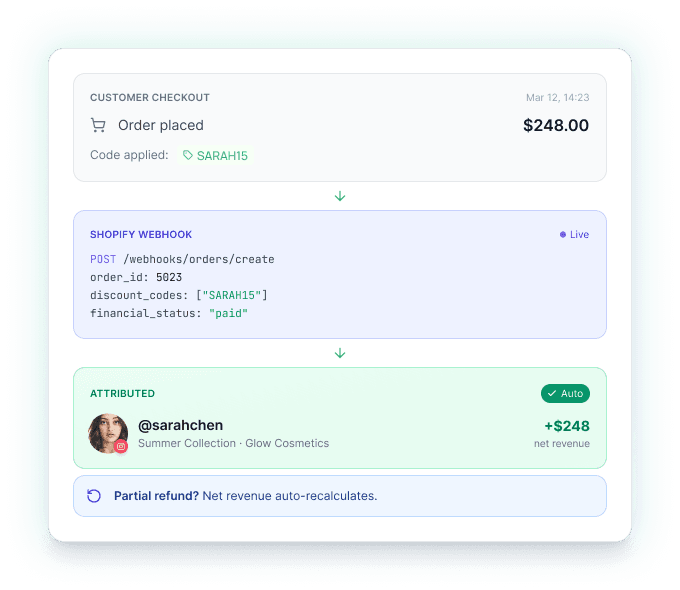
Connect your Shopify store, generate unique discount codes per creator, and watch every order trace itself back. No spreadsheets, no manual reconciliation.
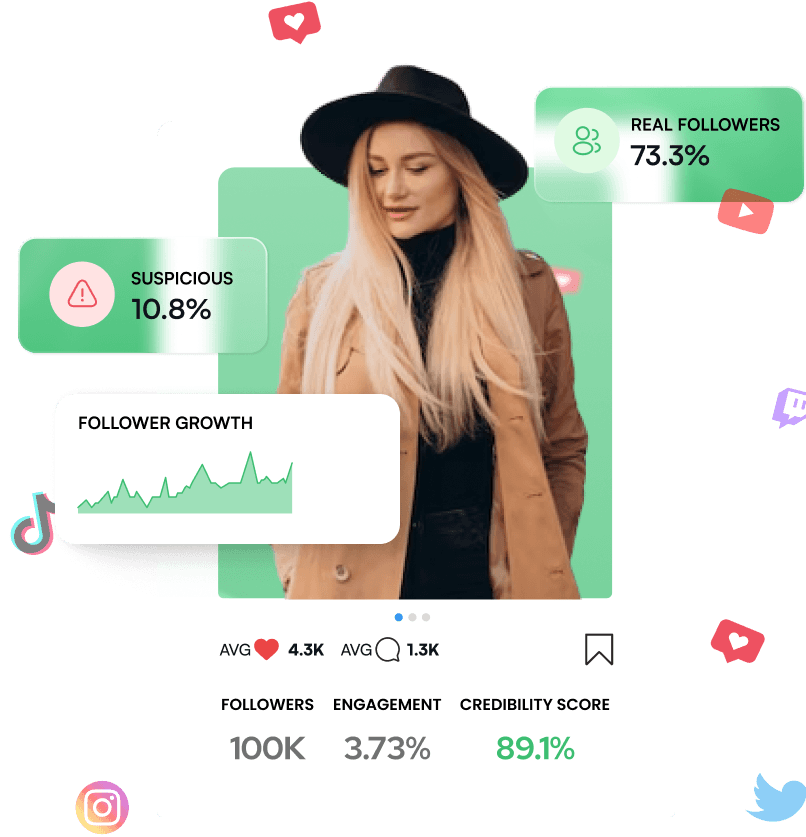
Turn influencers into your most powerful sales channel. impulze.ai helps e-commerce brands find influencers from a database of 280+ million profiles, track their impact, and manage partnerships.
No credit card needed.
Three steps from install to attributed revenue.
Connect your Shopify store
One-click install from the Shopify App Store. Webhooks auto-configure. Connect multiple stores from your Settings.
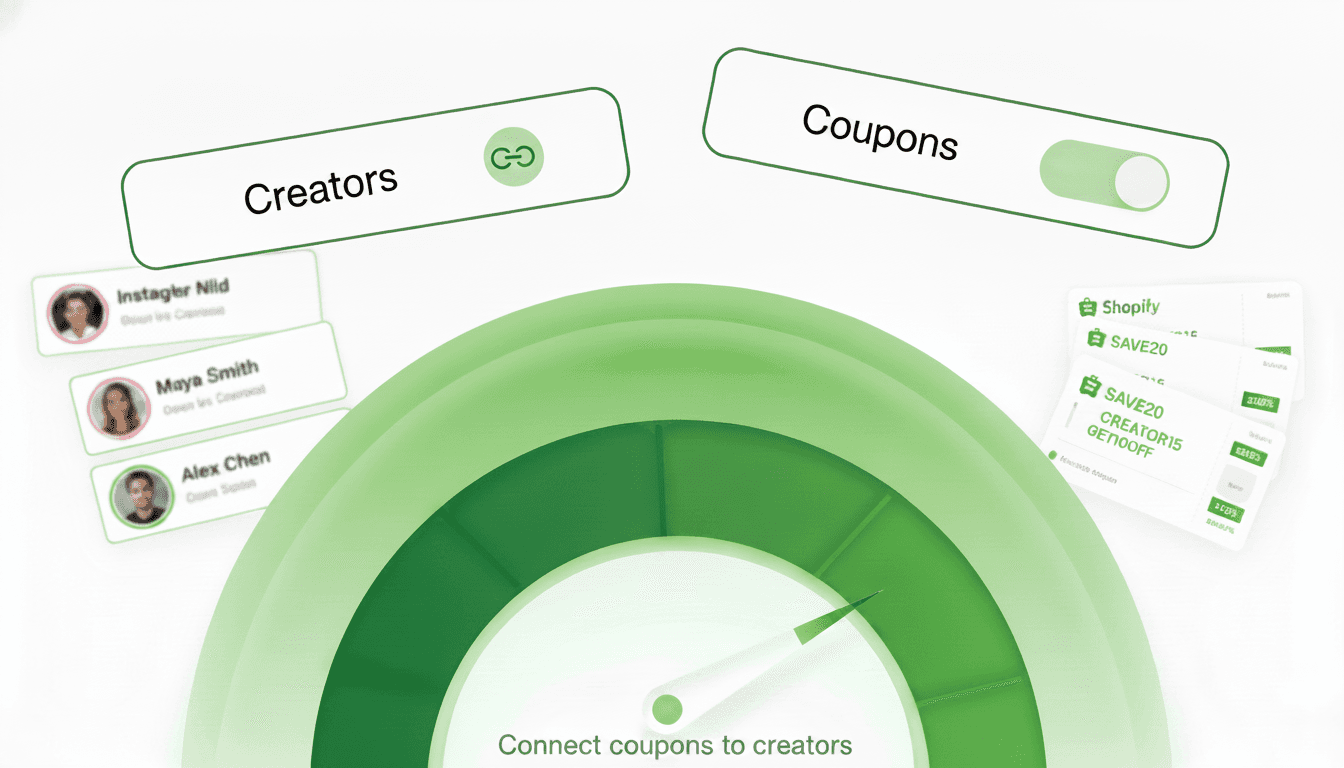
Connect coupons to creators
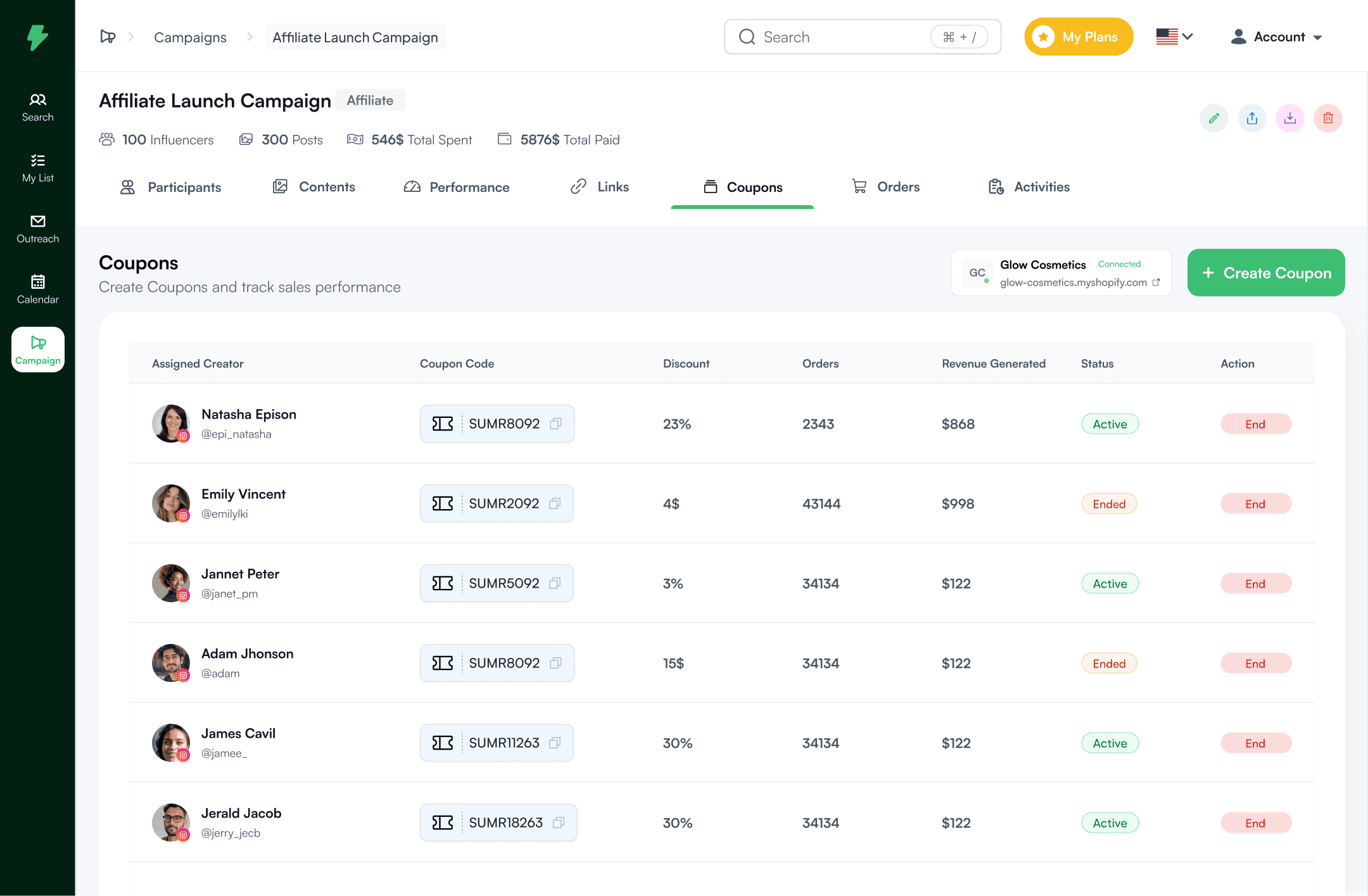
Pull existing Shopify discount codes into Impulze and assign each one to a creator for tracking.
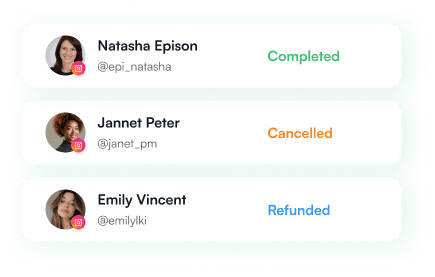
Revenue attributes itself
Every order routed to the creator who drove it. Paid, partially refunded, refunded, cancelled — all five statuses tracked.
The Smarter Way to Manage Influencers
The Smarter Way to Manage Influencers
Create in Shopify.
Track in Impulze.
Create in Shopify. Track in Impulze.
Create in Shopify.
Track in Impulze.
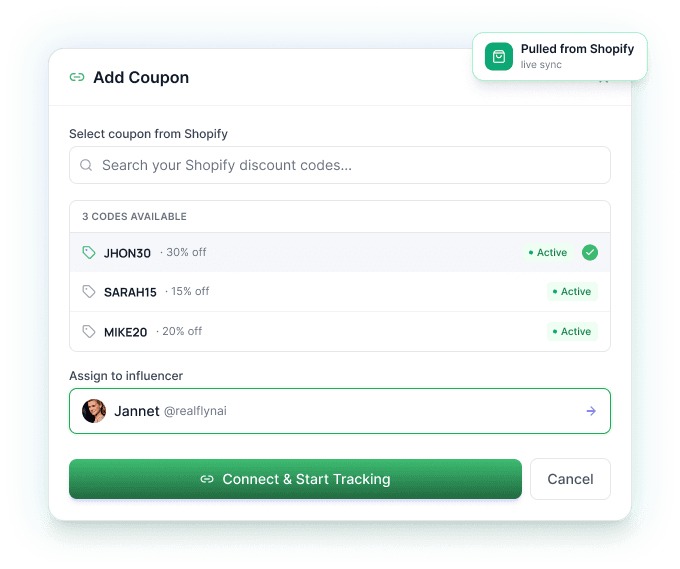
Keep using Shopify for what it does best — discount codes with full control over value, usage limits, dates, and product targeting. Connect those codes to Impulze and assign each one to a creator. Attribution starts immediately.
Keep using Shopify for what it does best — discount codes with full control over value, usage limits, dates, and product targeting. Connect those codes to Impulze and assign each one to a creator. Attribution starts immediately.
Attribution that survives
the real world.
Attribution that survives
the real world.
Attribution that survives
the real world.
Real customers cancel. Refund. Buy again. Use multiple codes from the same creator. Impulze handles all of it correctly so your numbers stay clean.
Real customers cancel. Refund. Buy again. Use multiple codes from the same creator. Impulze handles all of it correctly so your numbers stay clean.
Content reach and sales
in the same view.
Content reach and sales
in the same view.
Content reach and sales
in the same view.
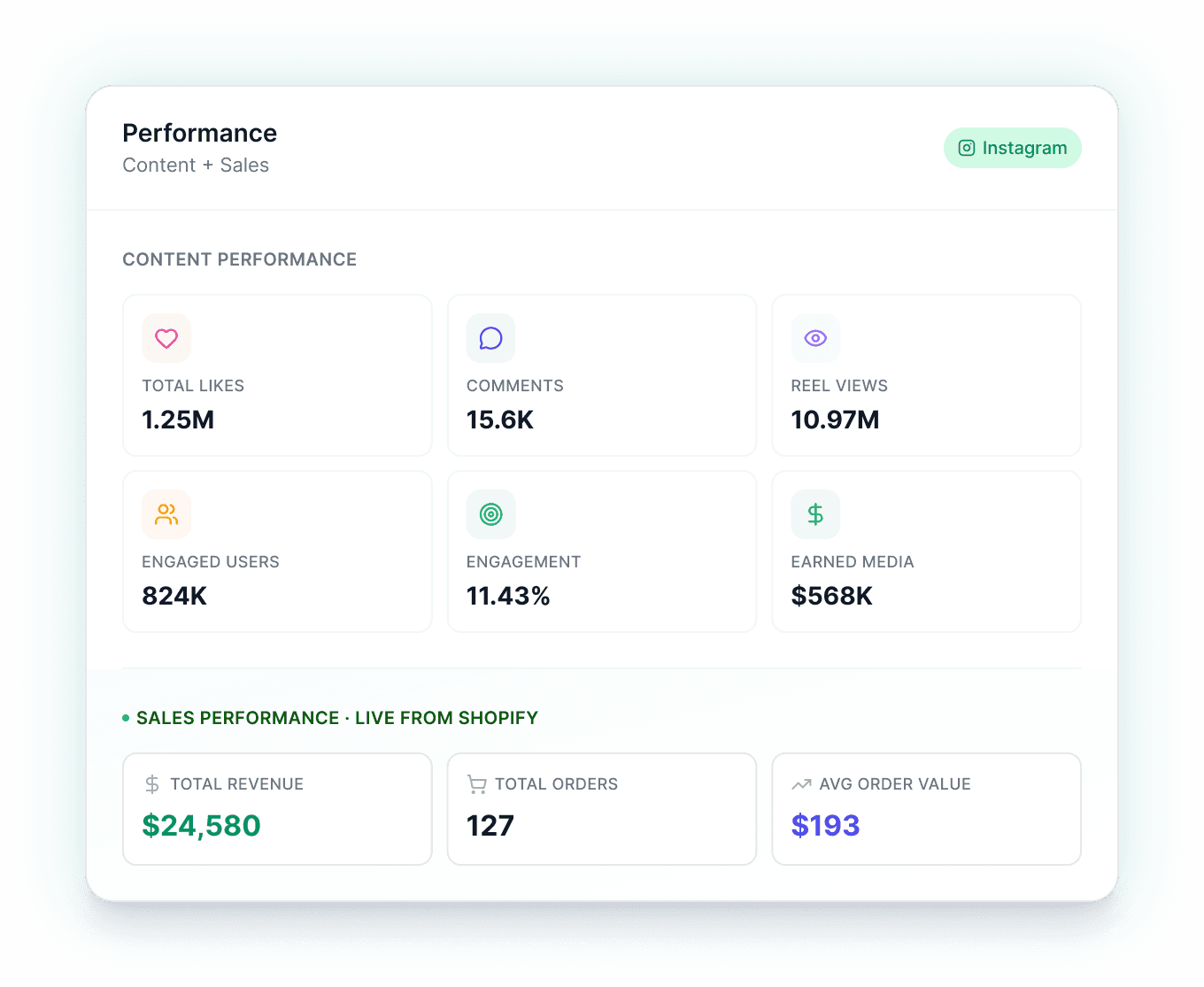
Most platforms show you either reach or revenue. Impulze shows both, side by side. Likes, comments, reel views, engagement rate, earned media value — and right below it, the orders, revenue, and AOV those posts actually drove.
Most platforms show you either reach or revenue. Impulze shows both, side by side. Likes, comments, reel views, engagement rate, earned media value — and right below it, the orders, revenue, and AOV those posts actually drove.
Also Built for agencies
running multiple brands.
Also Built for agencies
running multiple brands.
Also Built for agencies
running multiple brands.
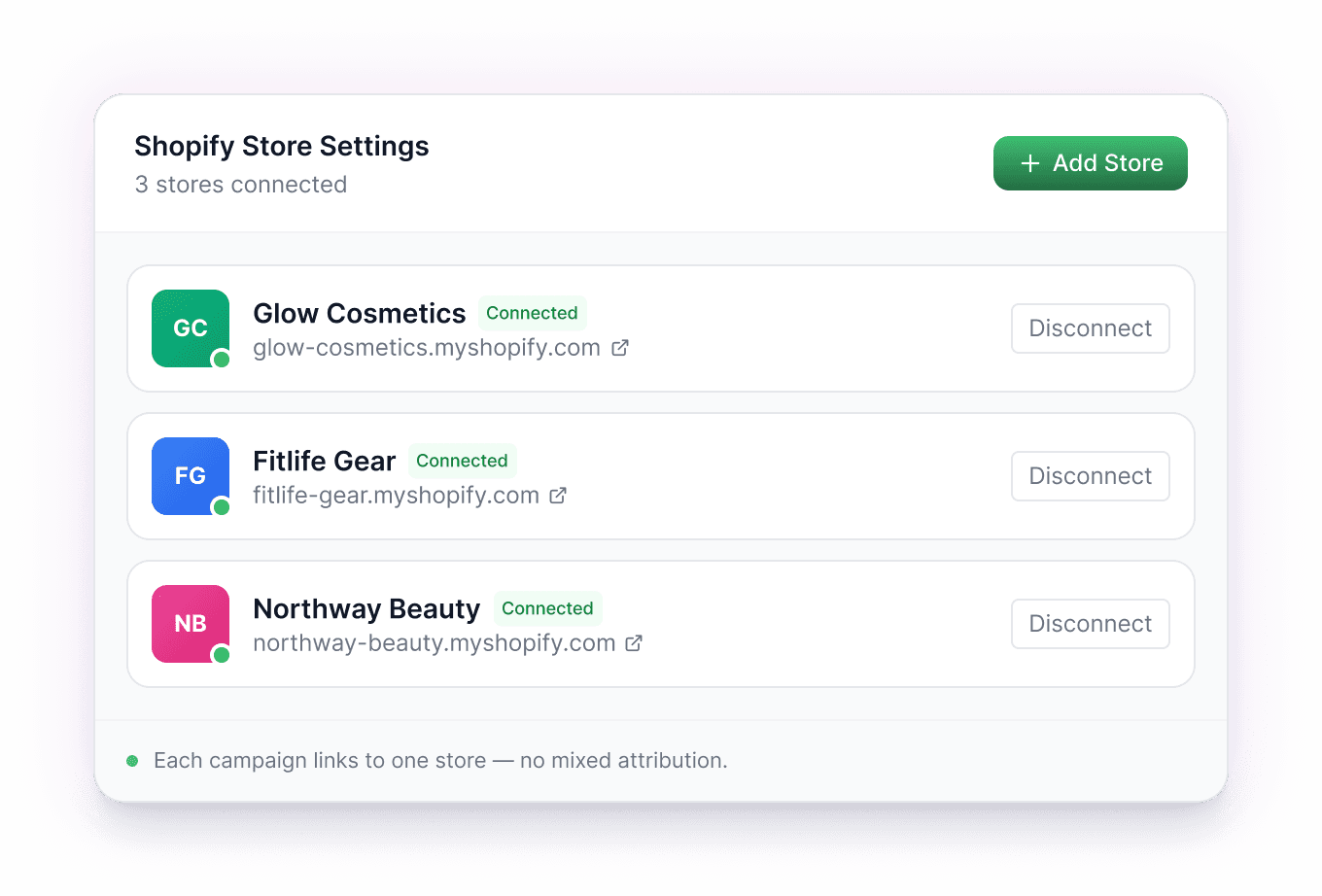
Connect a Shopify store per client. Link a specific store to a specific campaign. Switch between brands without losing context. Whitelabel reports per client.
Stop guessing.
Start attributing.
Stop guessing.
Start attributing.
Stop guessing.
Start attributing.
Connect your Shopify store and see attributed creator revenue in under an hour.
Connect your Shopify store and see attributed creator revenue in under an hour.
Got Questions? We Can Answer!
Got Questions? We Can Answer!
Where do I create the discount codes?
You create them in Shopify, the way you already do full control over value, usage limits, dates, products, and customer eligibility. Then you connect each code to Impulze and assign it to a creator. Shopify stays your single source of truth for the coupon itself.
Where do I create the discount codes?
You create them in Shopify, the way you already do full control over value, usage limits, dates, products, and customer eligibility. Then you connect each code to Impulze and assign it to a creator. Shopify stays your single source of truth for the coupon itself.
Do I need to install a Shopify app?
Yes — one-click install from the Shopify App Store. Webhooks auto-configure on install, so you don't need a developer or any code changes to your store.
Do I need to install a Shopify app?
Yes — one-click install from the Shopify App Store. Webhooks auto-configure on install, so you don't need a developer or any code changes to your store.
What happens with partial refunds?
Partially refunded orders are tracked as their own status — separate from full refunds. Net revenue is automatically recalculated, so a $200 order with a $50 partial refund credits the creator $150, not $200.
What happens with partial refunds?
Partially refunded orders are tracked as their own status — separate from full refunds. Net revenue is automatically recalculated, so a $200 order with a $50 partial refund credits the creator $150, not $200.
What order statuses are tracked?
Five: Total, Paid, Partially Refunded, Refunded, and Cancelled. Each gets its own card in the Orders dashboard and feeds into the per-creator revenue calculation.
What order statuses are tracked?
Five: Total, Paid, Partially Refunded, Refunded, and Cancelled. Each gets its own card in the Orders dashboard and feeds into the per-creator revenue calculation.
Does this work for agencies with multiple clients?
Yes. Agencies can connect a separate Shopify store per client, run independent campaigns, and present results in whitelabel reports under their own brand.
Does this work for agencies with multiple clients?
Yes. Agencies can connect a separate Shopify store per client, run independent campaigns, and present results in whitelabel reports under their own brand.
How long until I see attributed orders?
Setup takes about 5 minutes. Webhook events arrive in real time — you'll typically see your first attributed order within an hour of going live.
How long until I see attributed orders?
Setup takes about 5 minutes. Webhook events arrive in real time — you'll typically see your first attributed order within an hour of going live.